Showing posts with label lighting. Show all posts

Tuesday, 12 September 2017

Get more out of your Arlo security cameras

If you use Netgear's Arlo security cameras, you are probably a very happy customer, as their rating of 4.3 on Amazon.com would suggest.

I have used them at home for well over one year, having two setup outside and two inside. There are plenty of out-of-the-box configuration options - schedules, sensitivity, video quality, recording length, notifications, etc.

With notifications, you can essentially have the Arlo app notify you on your smartphone or have it email you. I have both enabled and it certainly is handy. The notifications are almost immediate - we are talking 2-3 seconds from when motion is detected. Impressive.

One issue I had, though, is that I was getting a lot of notifications. My outdoor cameras are mostly armed, whereas my indoor cameras are only armed overnight. Most notifications I get are not urgent and simply allow me to be aware of what is happening in and around my home - people visiting, kids moving, etc. Overnight activity outside my home, however, is very different - I want to be woken up when there is motion detected.

This is where I was a bit stuck - Arlo doesn't really cater for this, neither does using a service like IFTTT by itself. My solution was to combine Arlo with Stringify and IFTTT.

I've got my system configured now so that if it's night time, I will get a phone call if one of my outdoor security cameras detects motion. Very handy!

I didn't need to change my Arlo schedule or configuration at all, I just left that as is. What I did need to do was to setup two Stringify "flows" and two corresponding IFTTT "applets" (for my two outdoor cameras).

Stringify is needed as I wanted to have a condition to only call me during night time. IFTTT was needed as it has the VoIP calling service.

Here is the Stringify flow for my front door camera:


And here is the corresponding IFTTT applet:


And here is how it seamlessly works together (yes it's dark... it's night time!):
Note - the LIFX light flashing is simply a separate IFTTT applet.


Wednesday, 6 September 2017

More IoT toys and gadgets = more integration

Ok it has been way too long since I posted here - over one year!

Ever since that first foray into the geeky Internet of Things (IoT) world with a LIFX Wi-Fi LED smart light bulb, I've certainly racked up a few more purchases. And, along with new devices, comes the ability to integrate.

Here's a list of my current "gadgets":

  • LIFX light bulb
  • Amazon Echo speaker
  • Amazon Tap portable speaker
  • Belkin WeMo Insight Switch
  • Logitech Harmony Companion universal remote (replaced my originally purchased Logitech Harmony Smart Control)
  • Netgear Arlo security cameras
  • Awair Air Quality Monitor
You could add to that some other items, but at present these are more standalone and not really integrated with much else:
  • Fitbit Charge 2
  • Withings Smart Body Analyser scale (now Nokia-owned)
  • Xiaomi Mi Robot Vacuum Cleaner
  • SMA Sunny Boy Smart Connected solar inverter
I have to say, out of all these items, the biggest disappointment has to be the Belkin WeMo Insight Switch. This is for two reasons: 1) the app is crap (come on Belkin, you should do a lot better!); and 2) not many devices these days work by simply turning their power supply on. I'm very happy with all the other devices. Sure, they each have their pros and cons, but overall they work really well.

I'm not going to get into the specifics in this post, but here are my main and most useful integrations (thanks to either native integration or via IFTTT and Stringify):
  • Turning on and using the TV simply by talking (thanks to Alexa on our Amazon Echo and Logitech Harmony)
  • Locating our mobile phones simply by asking (thanks to Alexa on our Amazon Echo and IFTTT)
  • Blinking our living room lamp a certain colour three times to indicate which Arlo security camera has just detected motion (thanks to Arlo, LIFX and IFTTT)
  • Receiving a phone call detailing which outdoor Arlo security camera has just detected motion when it is night time (thanks to Arlo, Stringify and IFTTT)
So cool. And not just a novelty, these are very useful!

Saturday, 2 January 2016

Turning off a light without touching anything

So now I've made our Amazon Echo even more useful by integrating it with our LIFX light bulb.


Simply saying "Alexa, trigger turn on the lamp" or "Alexa, trigger turn off the lamp" and the light turns on or off. It is pretty handy to be able to have this functionality from anywhere in the room without having to move or push any buttons.

This was achieved by an IFTTT recipe with Alexa and LIFX. You can configure the phrase you say to Alexa, and the colour, brightness and fade in / out duration of the LIFX light.

It hasn't been flawless all the time, though. The day before, issuing the same commands resulted in the lights turning on / off after about a 10-15 minute delay. I believe this was because of IFTTT, as checking Alexa online or on the app, the command was issued, but IFTTT only showed the recipe had triggered after the delay. Obviously this is not ideal, though I'm not yet sure if it was a once-off or will continue to frequently occur. Time will tell.

Once you have a few of these home automation devices, it's really amazing what you can connect and configure. And although some of it may be gimmicky, there are those genuine uses that can make tasks just that little bit easier.

Saturday, 19 December 2015

Friday, 18 December 2015

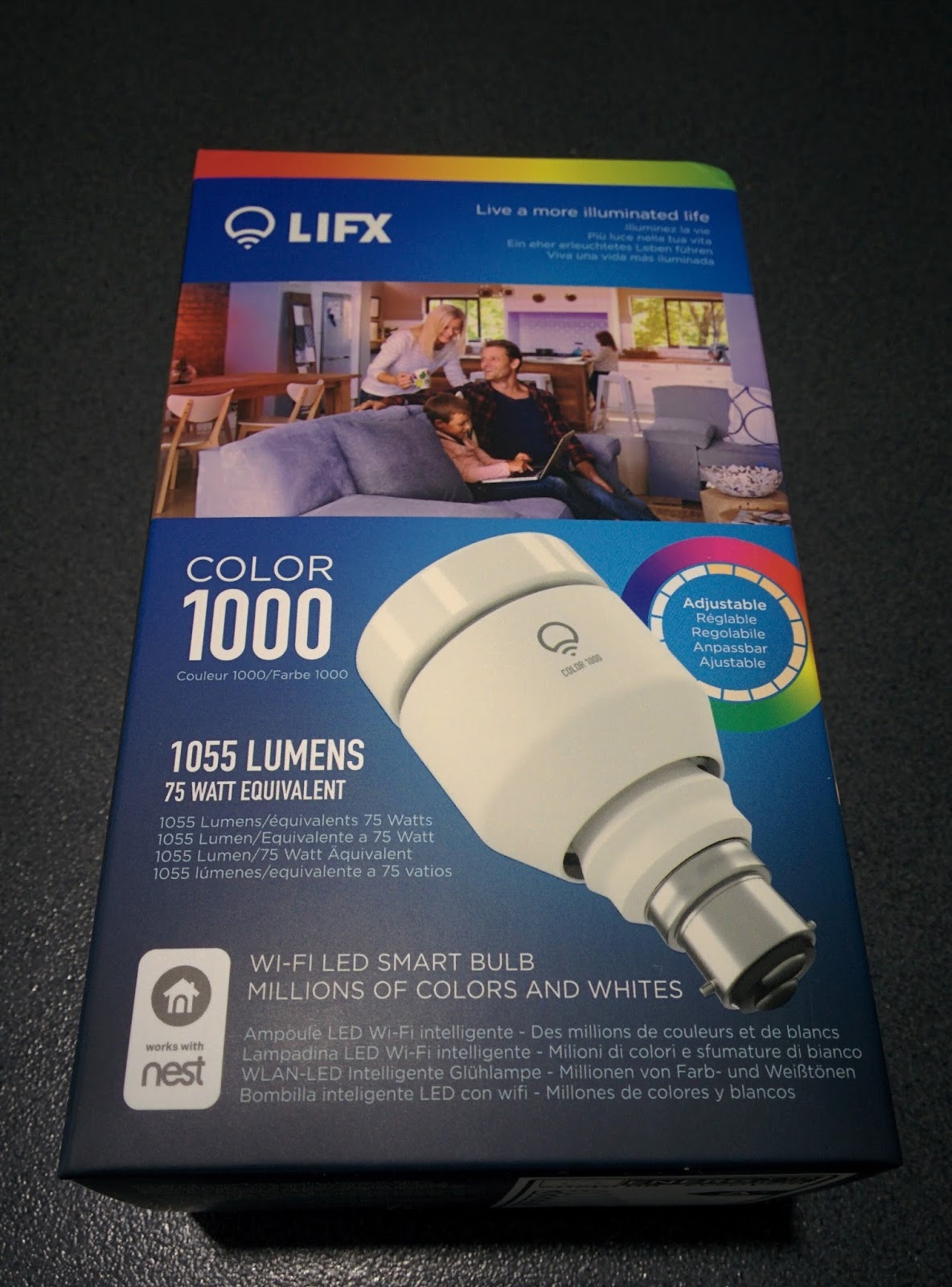
My first dabble with the Internet of Things (IoT) - the LIFX Color 1000 Wi-Fi LED Smart Light Bulb

Ok, this is it. I have been getting excited about the Internet of Things (IoT) and home automation for a while now, but this is my first real foray into this brave new connected world.

My package finally arrived after an Australia Post delay due to a derailed train. LIFX really packaged this bulb nicely, and understandably so, given the expected fragile nature of light bulbs. So first impressions of LIFX - thumbs up.

Once the sturdy external packaging was tossed away, here's what the LIFX Color 1000 Wi-Fi LED Smart Light Bulb looks like:


I was well behaved and read the instructions first. And was very happy when, essentially, the installation steps were:
  1. Attach
  2. Power on
  3. Pair with Android / iOS app
Easy enough, I thought.

Step 1, no dramas. This is what you do with any light bulb you replace. Take the old one out, put the new one in. One thing that was noticeable in doing this was that the LIFX Color 1000 is heavy when compared to a standard bulb. This didn't matter at all for my lamp, but just something you notice.

Step 2, even easier. Flick a switch and you have light. And a very bright one at that. I'm not sure what the out-of-the-box dim and color settings were for the LIFX, but either way, it was much brighter than my old light bulb and at 75 watt equivalent / 1,055 lumens - this is more than enough for my purposes (floor lamp in our living area).

Now, before moving on, you could simply stop after step 2 and you have a perfectly fine, low energy light bulb. But that would just be silly wouldn't it. At $60 USD, it's not exactly your cheapest and with Wi-Fi connectivity and so many colours to play with... well, step 3 is where it gets fun!

Step 3, though, is where I got a bit stuck. I have a Google Nexus 5 mobile phone, so am using the Android LIFX app. Thankfully, I was stuck on this step for only 15 minutes and I think it was user error more than anything else. I will provide the details, though, in case other Android users come up against this issue.

When initially adding a bulb to your account / app, you need to connect to it directly via Wi-Fi. It is at this point where I got an "Oops, that didn't work" error stating, "Let's try that again. If this keeps happening, try switching your light off and then on and waiting a minute before continuing."

I did what it said, though had no luck again. At this point I took many different actions - restarting my phone, restarting my modem / Wi-Fi network, resetting the LIFX light bulb (you can do this by turning it on and off at one second intervals, five times)... all to no avail. I also jumped on the LIFX support / help centre website pages and read through some articles, but alas, none helped my cause.

After about 15 minutes, it struck me that maybe I should actually pay attention to a message that I had been consistently getting every time I tried to finalise step 3 - an Android system message stating that the Wi-Fi connection (to the LIFX light bulb) had no internet access and to touch for options. When I did, I was able to select the option of keeping the connection and, like a Festivus miracle, I had success. The final actions to step 3 were to simply configure the LIFX light bulb with my home Wi-Fi network name and password. Once done, setup was complete.

So to sum up, those 3 steps should take no more than five minutes. But you don't truly have the feeling of success unless you have climbed over a little hurdle. Well, that's what I tell myself anyway.

With full control of the LIFX Color 1000, you can select the lighting conditions to suit your mood - from warm and cool whites, to hot pinks and mellow blues. Add to that the ability to dim and you have one fully customisable light bulb. Pure magic.

The app even comes with preset themes and effects. My daughter was particularly fond of the Halloween colour - a bright orange that she declared as, "oooh, scary."

Here's a look at the functionality of the app:


And here's what the light effects actually look like from our floor lamp:


I have also connected this LIFX light bulb to my wife's Amazon Fire phone, which also runs Android, and it works a treat too. So yes, you can connect bulbs and control them from multiple devices.

Playing around with the colours is cool, but what I really want to start exploring is home automation. Given I've had this thing for only half a day, I am yet to get that far, but stay tuned as I do plan on testing it out more. Automatically turning on at night, IFTTT connectivity, flashing on certain predetermined events... oooh, the possibilities!

Finally, on the topic of availability here in Australia, I was initially looking at Philips Hue lighting given they seemed to be the most popular. However, they were only available with an Edison Screw connection so they were no good for my house. I'm not sure on typical connection types, but around our house they seem to be mostly Bayonet Cap. Perhaps in the USA the Edison Screw is standard. It wasn't until I noticed the LIFX brand in a local Harvey Norman store - and, critically, they were available in both connection types. I nearly made an impulse buy, but was happy I didn't as after browsing around on the LIFX website, it became clear that Harvey Norman only stocked the original bulbs and I wanted to make sure I had the latest model. So my purchase was made directly from LIFX.